

The job software we built to run our own trade businesses
It's called 25Manage, and now we're getting it ready for other Australian service trades. Quote the job, book it in, send your crew out with the details on their phone, then invoice it when they're done.
From A$79 a month, GST included. Month to month.
If you quote work and send someone out to do it, it'll fit
You set up your own job types and price list, whatever the trade.
- Plumbing
- Electrical
- Air-con & HVAC
- Cleaning
- Locksmiths
- Pest control
- Garage & doors
- IT, CCTV & data
- Handyman
- Landscaping
- Solar
- Fire & security
What's on your crew's phone
Today's jobs and the SWMS for each one. When the work's done, the customer signs on the same phone.
It runs in the browser on any phone, and there's an Android app if they'd rather have one. There's no iPhone app yet.
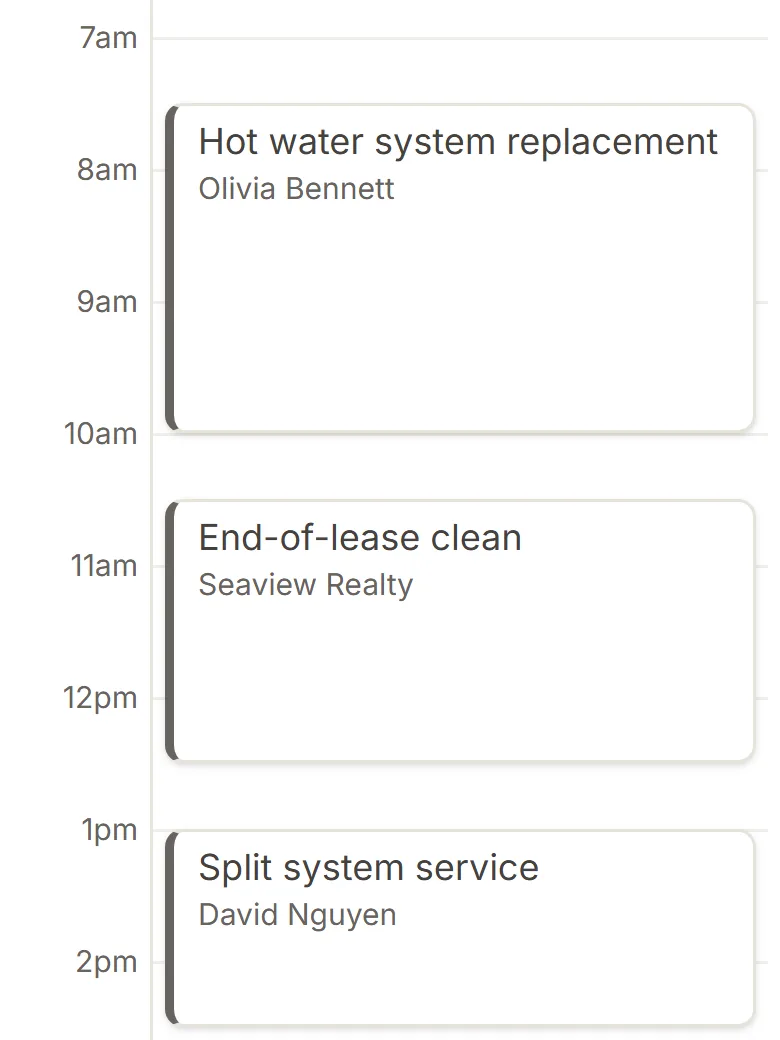
The day's run sheet on a crew member's phone, a different trade in each job. 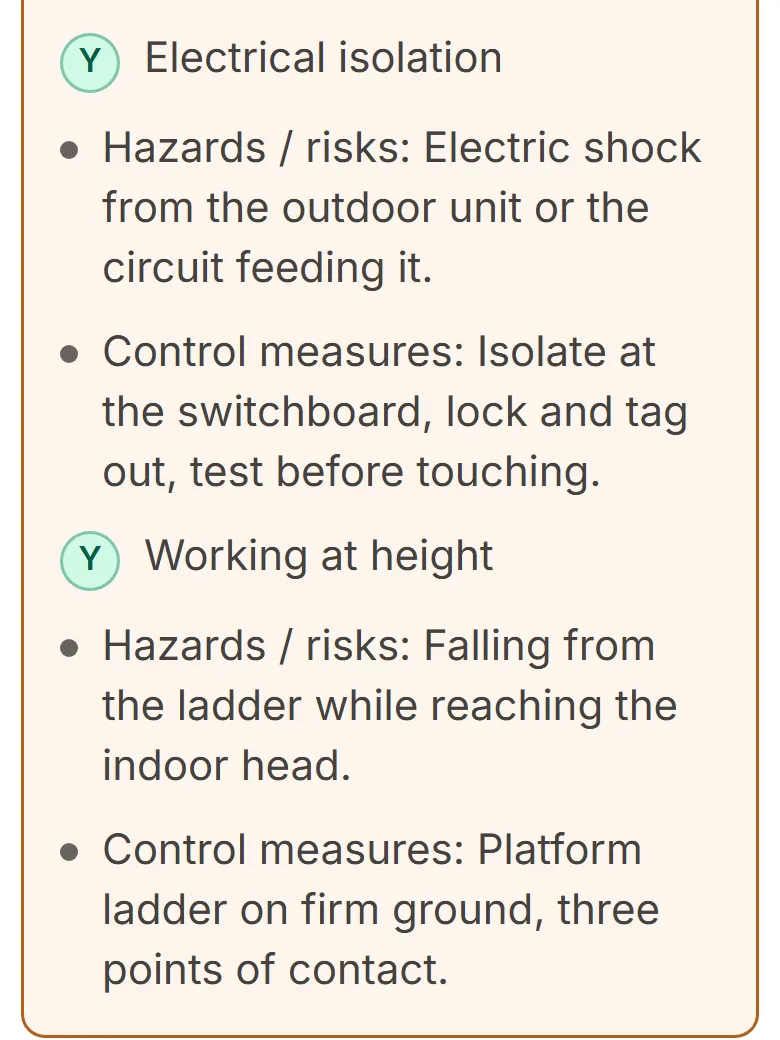
The SWMS for the job, read and signed on site before work starts. 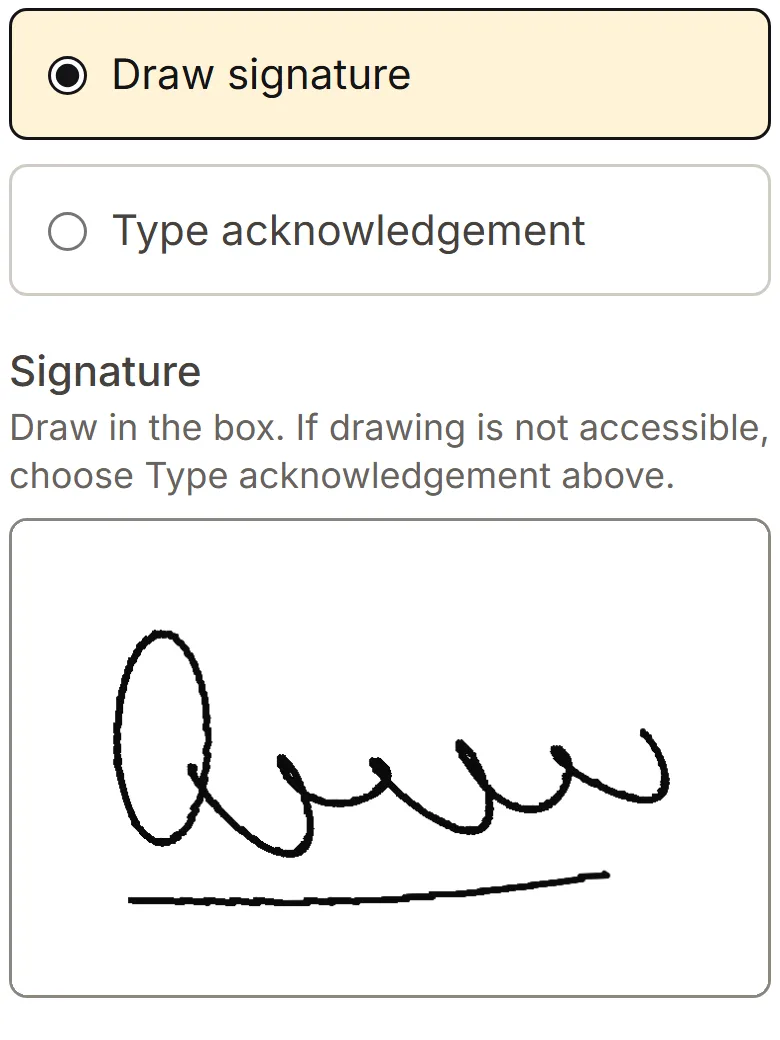
The customer signs on the phone when the job's done.
Real screens from 25Manage, with a made-up business.
How a job runs in 25Manage
The phone rings
Take their details while you're still on the call. It sits as a lead until you quote it, so it doesn't end up on a sticky note on the dash.
You quote it
Price it from your own list of parts and labour. Give them a cheaper and a dearer option if you like, and they can accept it online.
Your crew does the job
Drag it onto the schedule and it's on their phone, address and SWMS included. They take photos and get the customer to sign before they leave.
You get paid
Turn the finished job into a GST invoice without typing it out again, then record deposits and payments as they come in.
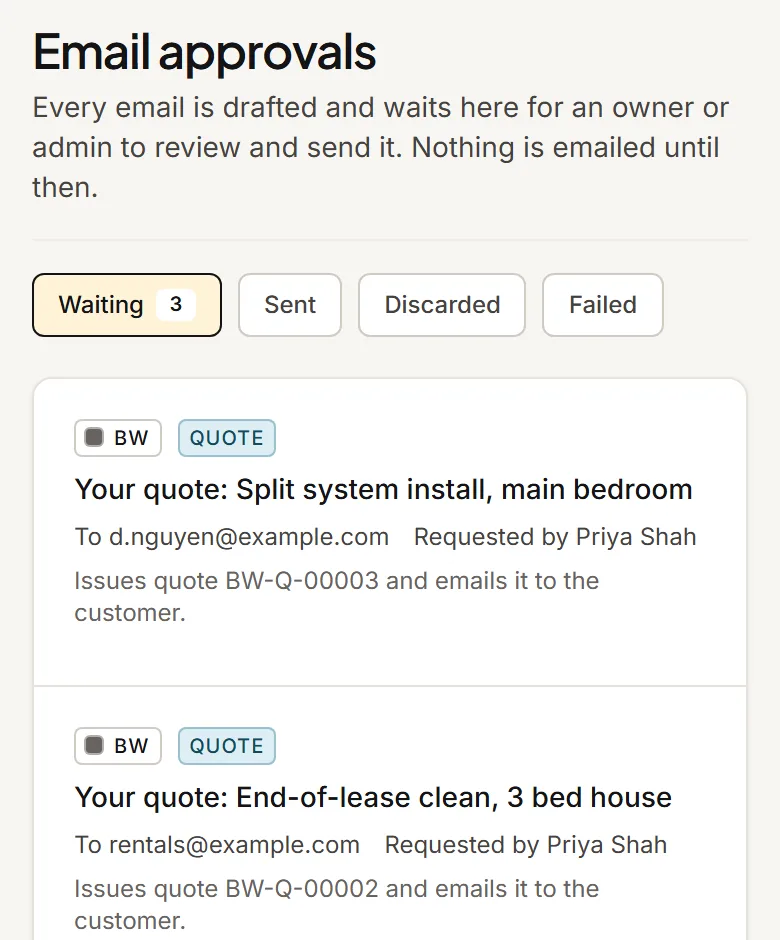
Nothing reaches your customer until you approve it
25Manage writes the emails for you, then holds every one until an owner or admin has read it and pressed send. If it's not right, fix it or bin it.
- Preview the email your customer will get, attachments included, before it goes.
- Your office staff can get emails ready. Only an owner or admin can send them.
- Quotes over an amount you set need an owner or manager to OK them first.
- Emails to your own staff, like the weekly owner summary, don't need approving.
What's in it
Every plan gets all of this, with no add-ons to buy. The quote becomes the job and the job becomes the invoice, so nobody types it in twice.
- Quotes
- Built from your own price list. Customers accept them online.
- Schedule
- Drag jobs and appointments around the week and see who's where.
- Field app
- The run sheet, photos, notes and parts used, on any phone.
- SWMS
- Filled in and signed on site, then kept with the job as a PDF.
- Invoices
- GST invoices from finished jobs, with deposits and part payments recorded against them.
- Customer portal
- Customers open their quote or invoice from a link. No password to forget.
- Customers and sites
- Every site, quote, job and invoice for a customer, with the history behind it.
- Stock and orders
- Keep count of stock on hand and order from your suppliers.
- Staff and reports
- Staff roles, an owner dashboard, reports and a log of who changed what.
- Spreadsheet import
- Bring customers, sites, products and old jobs across from CSV files.
Coming soon: Xero, online card payments, the Microsoft 365 inbox, a website enquiry form and AI help with writing. They're built, but not switched on for new businesses yet.
What it costs
You pay for how many people log in and how many businesses you run. The job workflow is the same on every plan. Prices are in Australian dollars and include GST.
- Solo1 staff · 1 businessA$79a month
- CrewUp to 4 staff · 1 businessA$149a month
- GroupUp to 5 staff · up to 2 businessesA$229a month
- TeamUp to 10 staff · up to 2 businessesA$299a month
Count everyone who'll log in, office and field. For one business, just you is Solo, 2 to 4 staff is Crew, 5 staff is Group and 6 to 10 staff is Team.
Questions about 25Manage
There are more on the pricing page.
Can I sign up today?
Not yet. Join the waitlist and we'll email you when we can take you on. Joining is free and doesn't sign you up to anything.
Does 25Manage email my customers by itself?
No. It writes the emails for you, but every one waits in your approvals list until an owner or admin has read it and pressed send. Only emails to your own staff skip that step.
What do my crew need on their phones?
A web browser is all they need, so there's nothing to install. Android phones can use our app instead. There's no iPhone app yet.
Does it work with Xero or take card payments?
Not yet. Both are coming soon. Until then you record payments in 25Manage yourself, and Reports can export your invoices and payments as a spreadsheet for your bookkeeper.
Which trades is it for?
Any service business that quotes work and sends someone out to do it: plumbers, electricians, air-con and fridge techs, cleaners, locksmiths, pest controllers, garage and door repairers, IT, CCTV and data installers, handymen, landscapers, solar installers and fire and security services, and plenty more.
Where's my data kept?
Your 25Manage database and files are stored in Sydney. Like most software, some services run through providers overseas, such as the one that delivers email.
Get on the waitlist
We're not taking on new businesses yet. Leave your details and we'll be in touch when places open.